
How do I log in and manage my subscription?Updated an hour ago
Managing your Subscribe & Save is quick and easy, and you can do it all from your phone or computer. Here's how to get started:
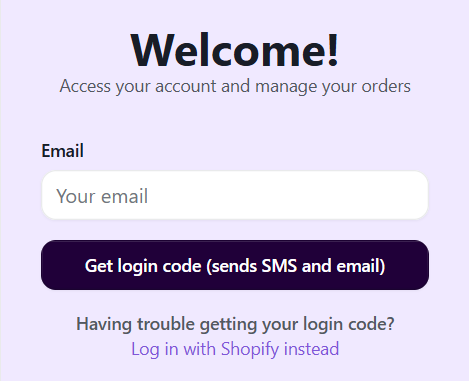
- Log in at barilife.com/a/account/subscriptions (or tap the person icon at the top right of our website). Enter your email, tap Get login code, and type in the code we send you by email and text. No password needed!
- Find your subscription and tap View details.
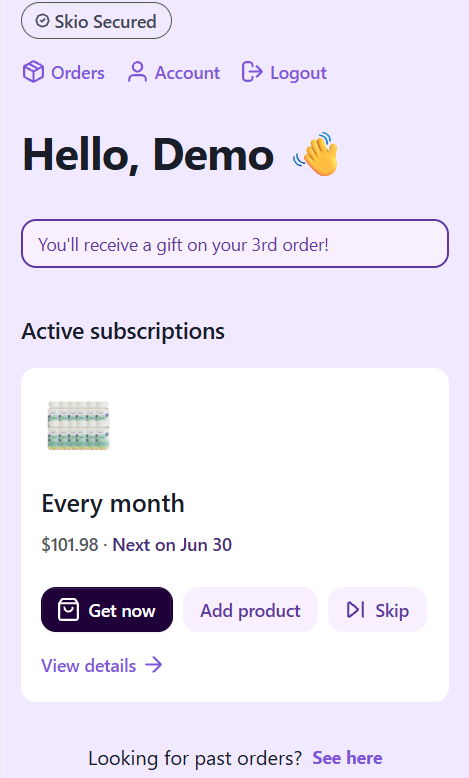
What you can do from your subscription
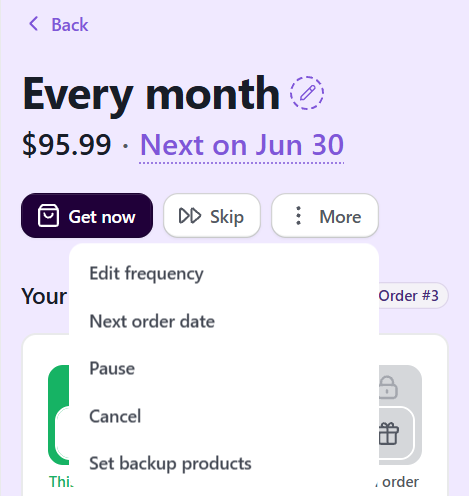
- Change how often it ships: tap More > Edit frequency, or set your own custom schedule.
- Change your next order date: tap More > Next order date.
- Skip your next order: tap Skip.
- Order now: tap Get now to get your next order right away.
- Take a break: tap More > Pause for 1, 2 or 3 months.
- Swap a product or flavor, or add a product: use Swap or Add product under Products.
- Update your address or card: tap Edit under Shipping information or Billing.
- Cancel: tap More > Cancel.
Good to know: make your changes at least 2 days before your next order date. After that, that order is already being prepared and will ship as scheduled. We email you a reminder before every order.
Need a hand? Email us at [email protected] or chat with us. We're happy to help!